Sell more to those who already bought.
RFM segmentation, automated recipes (birthdays, post-purchase, carts), targeted campaigns and MJML template editor. Turn the customers you already have into your growth channel.
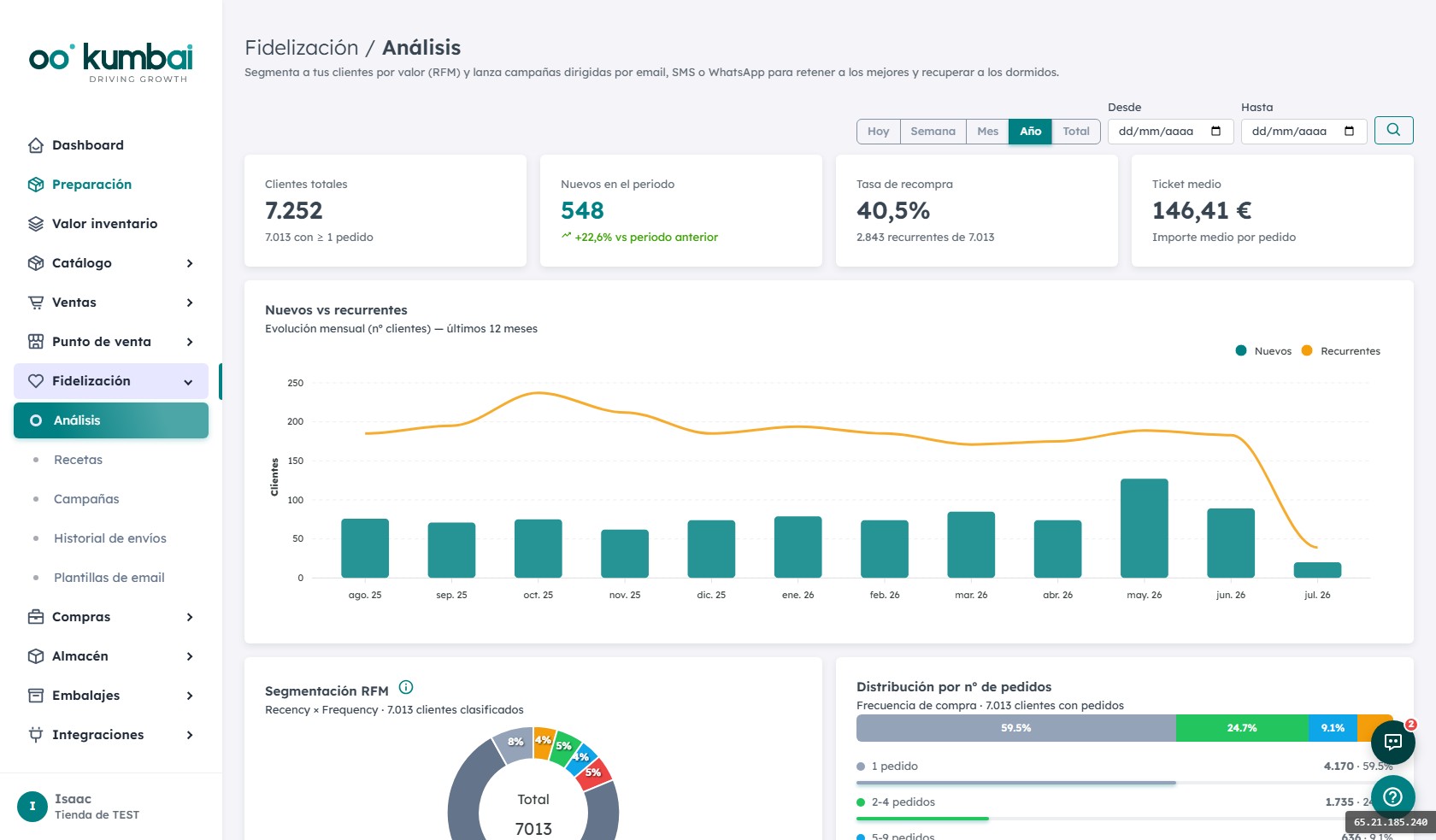
Your customer base, classified automatically.
Every customer receives a segment based on Recency, Frequency and Monetary value. Updated with every order.
Bought recently, often and spend a lot. Reward them.
Buy consistently. Keep them close, offer previews.
First purchases. Onboarding matters — welcome them well.
Recent buyer, low frequency yet. Nudge for the second purchase.
Was a good customer but hasn't bought in a while. Recover with a specific incentive.
Long time no buy. Aggressive recovery campaign or exclude to save budget.
Campaigns that run on their own.
Birthday
The customer gets an email on their birthday with a personal discount. Configure days in advance and message.
Post-purchase reminder
X days after buying a specific product. Ideal for repurchase, care tips or "you liked it, come back".
Abandoned cart
Automatic sequence of 3 emails (1h, 24h, 48h) if the customer doesn't complete the purchase. Recover 15-25% additionally on average.
Review request
N days after delivery, an email asks for a review with a direct link. Increases reviews without extra work.
Reactivation
If the customer hasn't bought in X months, an "At Risk" recipe fires with a special offer.
Post-first-purchase
N days after the first purchase to convert into a recurring customer. Second-purchase incentive.
Any segment, any moment.
Pick an RFM segment (or build a custom one with filters) and send a campaign with template, code and CTA. Schedule for the moment you want.
MJML template editor
Visual editor with drag & drop or MJML code editing. Reusable templates for each type of campaign.
Email, SMS and WhatsApp
Same segment, three channels. Pick or combine by campaign type. WhatsApp Business with approved templates.
Custom filters
Custom segment building blocks: last purchase, bought category X, total spent, city, subscribed to newsletter…
Full send history
Every email/SMS/WhatsApp sent, with delivery, open, click and conversion status. Filter by campaign or customer.
From analyze to sell.
- 1
Configure recipes once
You define: birthday, post-purchase, cart, reactivation. They run forever on their own.
- 2
Automated recipes fire on their own
Without touching anything. The birthday goes out on the right day; the cart at 1h, +24h and +48h; the post-purchase reminder X days after the order.
- 3
You launch a manual campaign
Open "RFM Analysis", click a segment, pick a template, set a promo code and send. Or schedule for tomorrow.
- 4
You measure results
Opens, clicks, conversion to order. Unified history. If a campaign didn't work, you spot it fast.
- 5
You iterate
Adjust the template, change the discount, try another segment. Automated recipes keep running in the background.
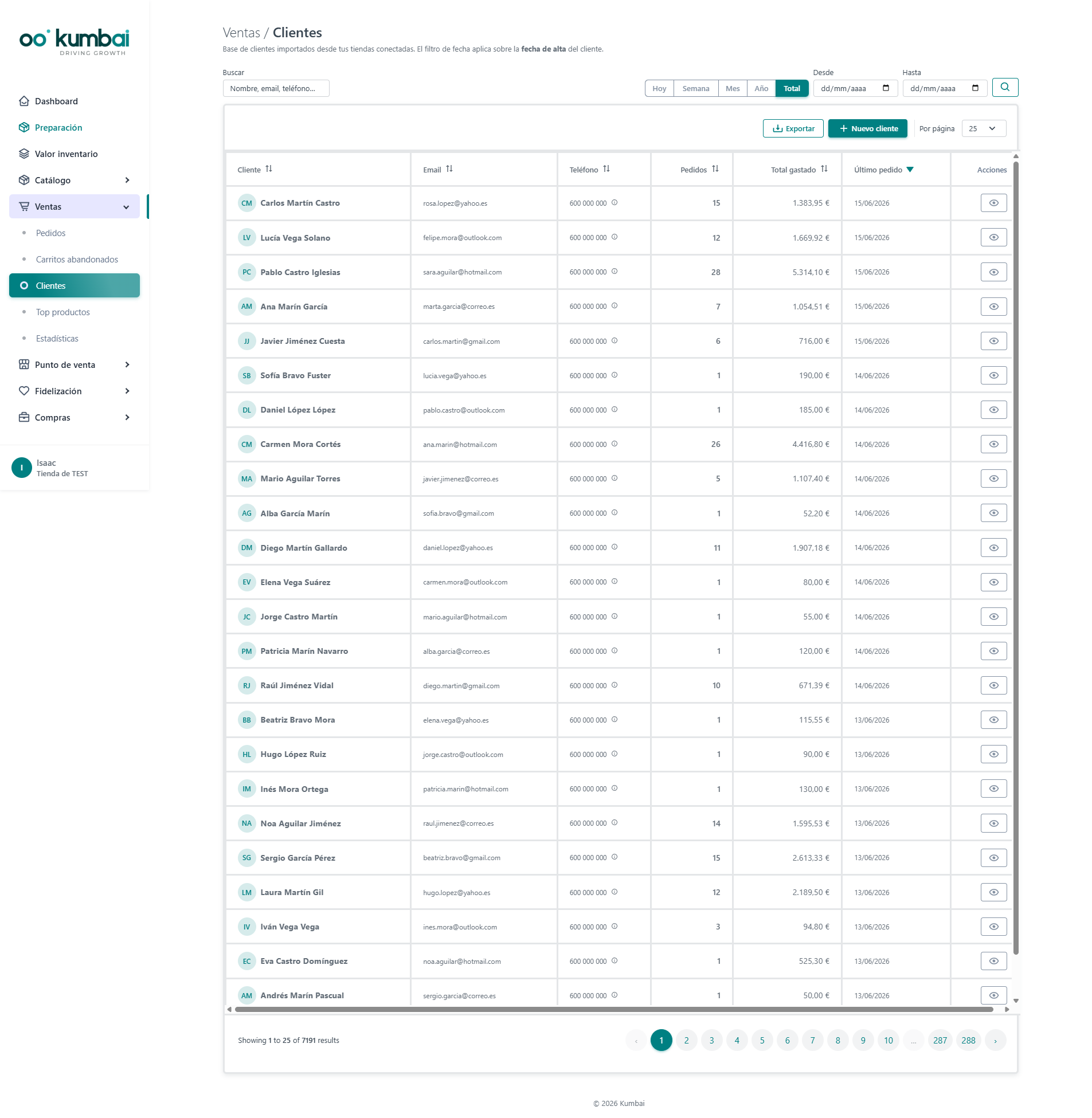
How it connects with the other modules.
The most asked questions about Loyalty.
How is RFM segmentation calculated?
How do carts arrive from the online store?
Can I customize the recipe emails?
Does it work with my own SMTP server?
What about WhatsApp?
How do I measure campaigns?
Do I need to change my online store to use Kumbai?
What happens to my data if I cancel?
Is it GDPR-compliant?
Can I try it before paying?
Which languages are available?
How does support work?
Your customer base is your goldmine.
14 days of the Growth plan, free. Turn RFM on and see the recipes running with your real customers.