
Purchase proposal that knows what to order.
Cross-references current stock + sales velocity + lead time and tells you what to buy, how much and from which supplier. Purchase orders, partial receipts and history in one place.
Every week, a "what should I order" list.
Instead of a spreadsheet, one click and the system builds the proposal cross-referencing your data.
Suggested quantity
Based on 30-day sales velocity, current stock and trend. Adjustable per SKU before generating the PO.
Lead time per supplier
Each supplier has its own average lead time. The proposal orders enough to cover until the next reception.
Grouping by supplier
The proposal groups automatically by supplier. From one panel, generate one PO per supplier with a single click.
Manual override
Change the suggested quantity to eye (you know something the system doesn't), remove marginal lines, add unlisted products.
All in one place.
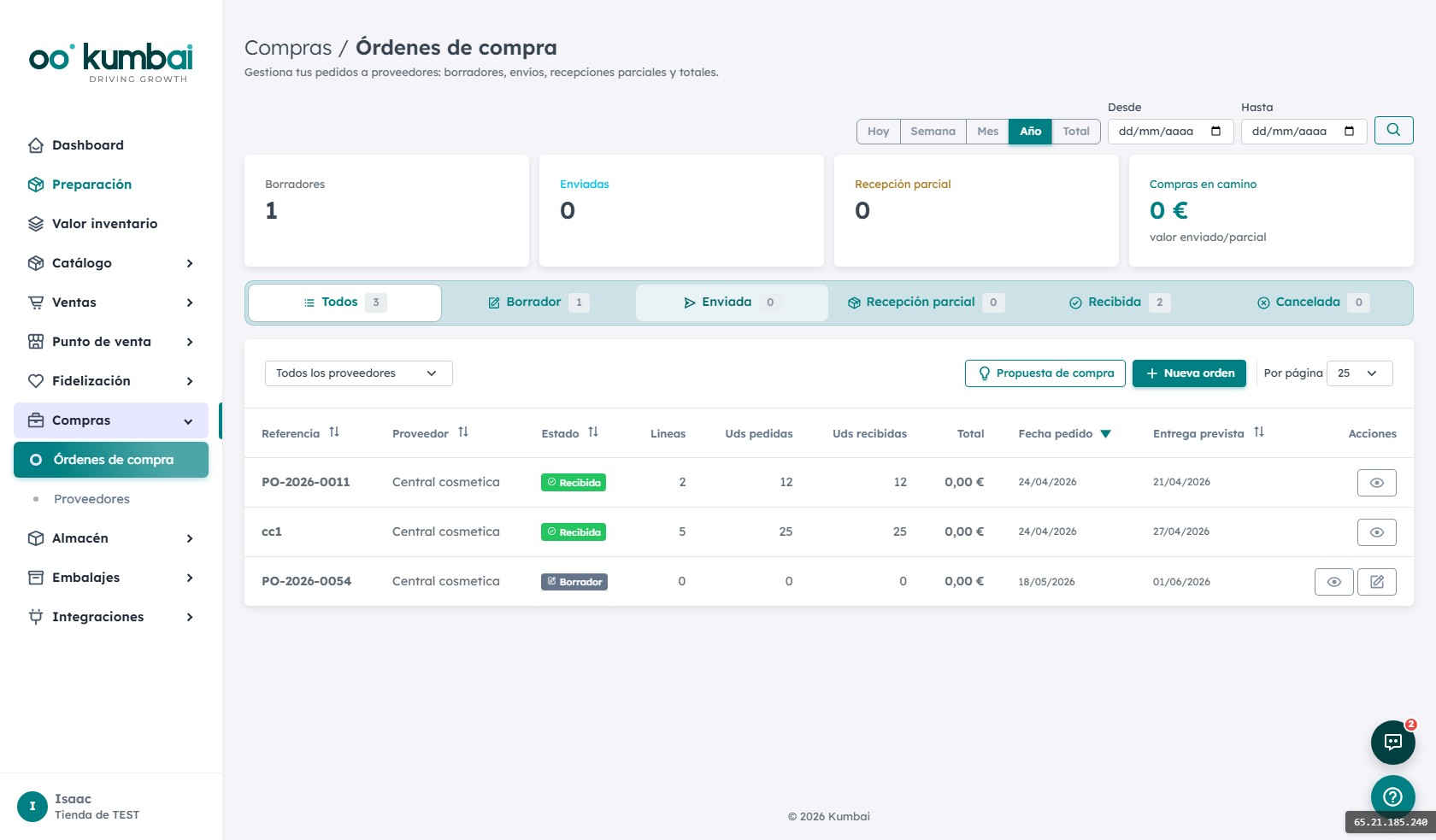
Purchase orders
Editable table, total, supplier data, PDF preview and email sending with attachment. Status: draft → sent → partial receipt → received.
Partial or full receipt
The supplier sends you 80% of the PO now, 20% next week. You receive the partial with a click and stock updates with reason "Receipt".
History per supplier
How much you bought each year, on-time percentage, real average lead time. Data for renegotiating conditions with argument.
PO by email
Send the PO to the supplier's email address with PDF attached. If they accept and reply, the PO stays "Sent" until reception.
From "we're low" to "stock refilled".
- 1
You launch the automated proposal
Click "Calculate proposal". We cross-reference stock + 30d sales + trend + lead time. In 2 seconds you see what to buy and to whom.
- 2
You review and adjust
Change quantities where needed, remove marginal lines, add non-suggested products.
- 3
You generate the POs
One click: one PO per supplier. Each PO is emailed to the supplier with a PDF attached and moves to "Sent" state.
- 4
Goods arrive
The supplier confirms lead time. When the delivery note arrives, you receive it (full or partial). Stock increases with reason "Receipt".
- 5
Data for next time
Real lead time updates. Next Monday's proposal takes what happened into account. The curve refines itself.
How it connects with the other modules.
The most asked questions about Purchasing.
How accurate is the automatic proposal?
Can I have multiple suppliers per SKU?
Do POs go to accounting?
What happens if the supplier doesn't fulfill the PO?
Can I edit a sent PO?
Are lead times updated automatically?
Do I need to change my online store to use Kumbai?
What happens to my data if I cancel?
Is it GDPR-compliant?
Can I try it before paying?
Which languages are available?
How does support work?
Stop buying by intuition.
14 days of the Growth plan, free. Try the proposal with your real data.