
Yours and your team's.
Sub-users with granular role-based permissions, custom branding in panel and emails, multi-language panel (EN/ES) per user and 2FA TOTP. Each team member sees only what they need.
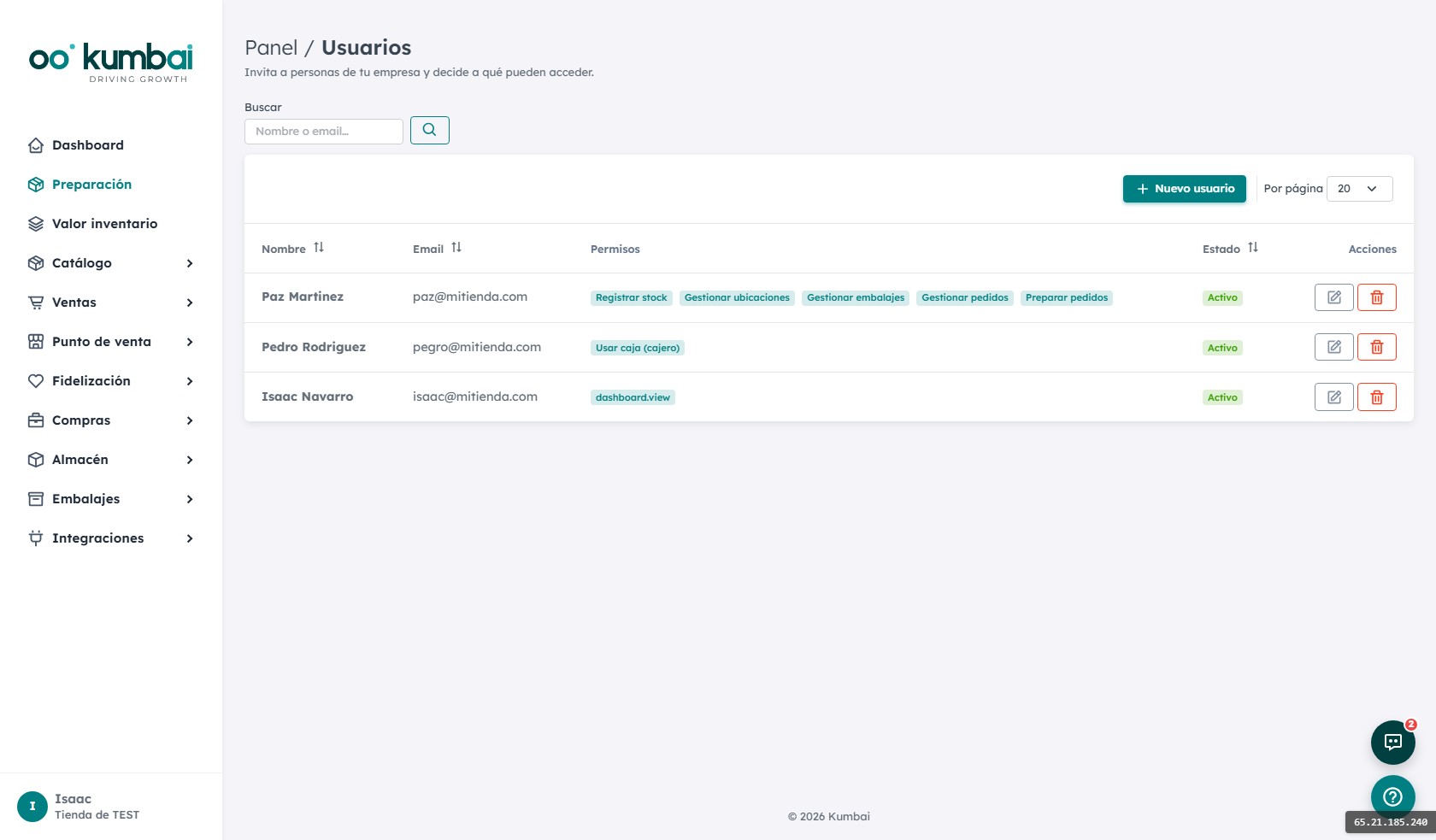
Everyone sees only their own thing.
Granular control per module.
Permission matrix
Every user × every module × every action (read, create, edit, delete, export). Configure with checkboxes. Save the combination as a reusable role.
POS permissions per cashier
Which cashier can apply discounts, refund tickets, close register, transfer between registers. Level of control adjustable per store.
Custom branding
Your logo, your primary color, your emails. Both in the panel and in customer notifications. Your team sees your identity, not ours.
Multi-language per user
Panel in EN or ES, selectable per user. Emails to customers in the customer's language. Signup in-store, receipts and campaigns follow the choice.
2FA (TOTP)
Two-factor authentication with Google Authenticator, Authy, 1Password. Enabled per user or forced for the whole team. Recovery codes.
Panel alerts
Contextual alerts on the dashboard: order in picking > 24h, low packaging stock, cashier hasn't opened register. Configurable per role.
Audit log
Every sensitive action (delete, permission change, refund, export) is logged with user, timestamp and payload. Consulted from Admin.
Onboarding a new team member.
- 1
Send the invite
Enter name and email. The user receives an email with a link to set up their password.
- 2
Assign role and permissions
Pick a predefined role (Picker, Packer, Cashier…) or build a custom one. All in a 30-second checklist.
- 3
Set language and 2FA
The user picks panel language on first login. Forced 2FA if you've enabled it at team level.
- 4
They personalize their sidebar
Each user hides the modules they don't use. Faster panel, less distraction.
- 5
Off to operate
The new member logs in, sees the in-section contextual help via the "?" button and gets started. No specific training required.
How it connects with the other modules.
The most asked questions about Team.
How many sub-users can I have?
What if a user forgets their password?
Can I add outsiders without giving them a Kumbai account?
What SSO do you support?
Can I see who did what?
Can I have per-user branding?
Do I need to change my online store to use Kumbai?
What happens to my data if I cancel?
Is it GDPR-compliant?
Can I try it before paying?
Which languages are available?
How does support work?
Your team, with the right permissions.
14 days of the Growth plan, free. Invite your team and configure permissions in minutes.