
The assistant that knows your data.
A conversational panel that answers about your sales, orders, stock and KPIs — and executes actions with your confirmation. It also explains how to do each thing in the panel, without leaving the module you're in.
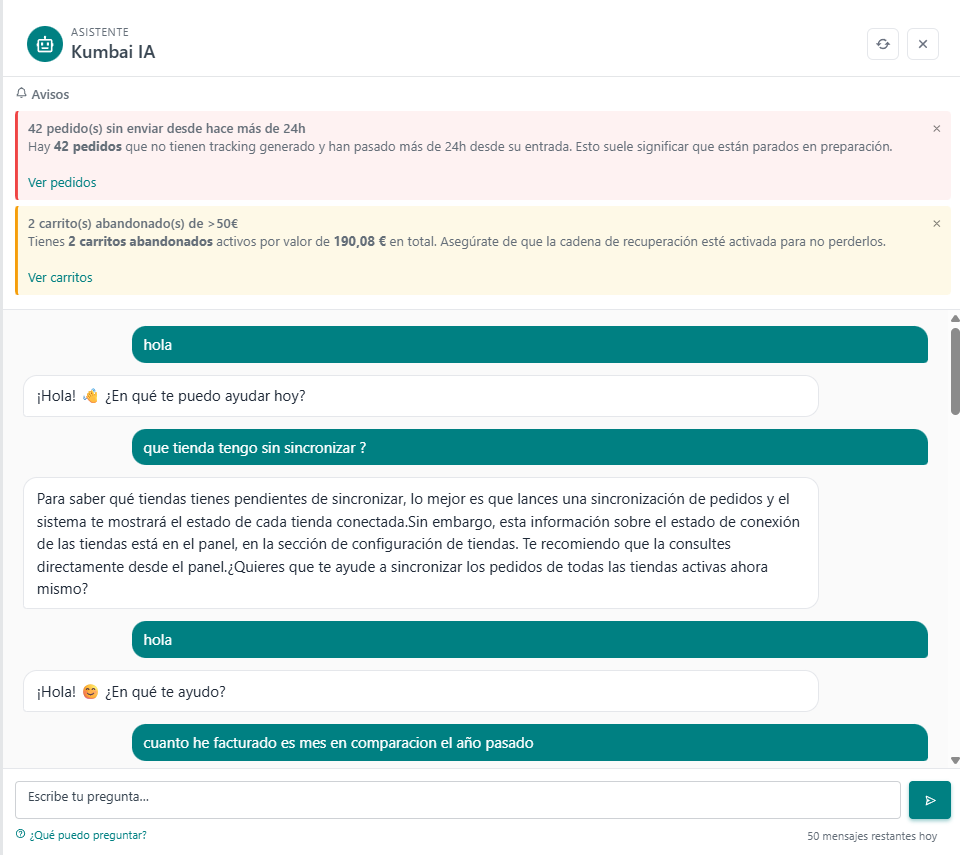
Consult, execute, teach.
Answers about your data
"How much did I bill this month vs. last year?", "Which are my Champion customers?", "How much dead stock do I have in the Skincare category?". Concrete answers with data and link to the panel to dig deeper.
Executes actions with confirmation
"Apply 20% off to the Serums category this weekend", "Send abandoned-cart email to today's orders". It never runs anything without confirming with you first.
Contextual help
"How do I create a variant?", "How do I open the register?". Kumbai AI knows the panel and explains step by step without changing screens.
Every action confirmed
Before executing an action, Kumbai AI shows you exactly what it will do (products affected, numbers, scope) and waits for your OK.
Data stays yours
Kumbai AI queries only your data, never trains a general model with it. EU processing, opt-out any time.
Improves with usage
Kumbai AI learns your business's specific vocabulary (nickname products, common promo codes) without leaving your workspace.
Things people actually ask.
Ask, confirm, execute.
- 1
You open the AI drawer
Click the floating icon at the bottom right or press the shortcut. It opens without leaving the current screen.
- 2
You ask in natural language
Either a question ("how many At Risk customers do I have?") or an action ("email them a discount"). No specific syntax.
- 3
If it's a query, it answers with data
Concrete numbers, deep link to the screen where to dig, chart if applicable.
- 4
If it's an action, it prepares and asks confirmation
Shows you exactly what it will do (products affected, numbers, scope) and waits for your OK.
- 5
Executes or cancels
You confirm → executes. You cancel → stays as a conversation. All traceable in the user's history.
Reads and can act on the whole panel.
The most asked questions about Kumbai AI.
Do I need to know how to use AI to use Kumbai AI?
How do you protect my data?
What if it gets an action wrong?
Does it work in English?
Is there a token limit?
Can it read historical data (2 years back)?
Do I need to change my online store to use Kumbai?
What happens to my data if I cancel?
Is it GDPR-compliant?
Can I try it before paying?
Which languages are available?
How does support work?
Chat with your business.
14 days of the Growth plan, free. Kumbai AI included. Try it with your real data.