
The operations console for the day-to-day.
Six tabs that structure the whole flow: Queue, In preparation, Ready to pack, Waiting for stock, Deferred and SKUs to restock. Location-ordered picking, order batches and packing with automatic packaging deduction.
Every order in its right column.
Instead of a big list, the tab structure tells you at a glance where each order is and what to do with it.
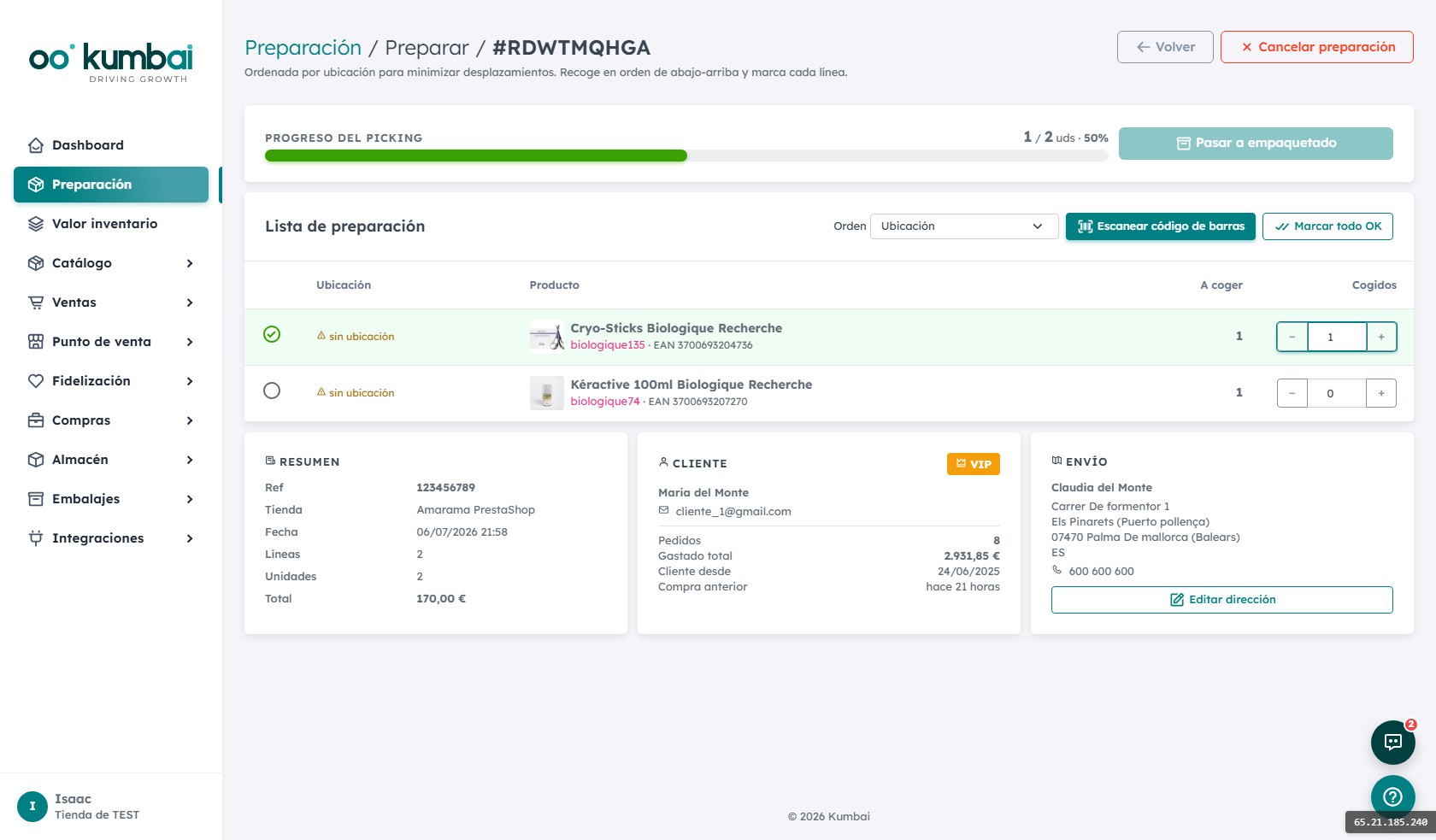
Optimal route by aisle, not by order.
The picker doesn't hunt through the warehouse. They follow a numbered sequence that goes in order through aisles and racks.
Route by location
The system reads each SKU's location and orders the tour so the picker walks straight through the warehouse without backtracking.
Batches (batch picking)
Pick several orders in a single tour. The system consolidates the SKUs, tells you how many units total to pick per location and then splits them when packing.
Packing with packaging deduction
On packing, you register the packaging used (large box, medium mailer, 2 bubble sheets…). Packaging stock updates automatically. Everything audited.
Grouping suggestions
Two orders from the same customer or the same address? The system suggests grouping them into a single shipment to save on carrier costs.
Deferral with automatic return
You can defer an order (waiting for stock, unclear address…). It leaves the queue and returns automatically when the condition clears.
Restock SKUs
The tab tells you which items need to go back on the shelf after a return or an unpacking. Useful for keeping locations clean.
From order arrival to shipped package.
- 1
The order arrives from your store
Import cycle runs automatically every 30 minutes. New orders land in "Queue" ready to pick.
- 2
The picker takes a batch
They pick 5-10 orders in a single tour. The system tells them the location sequence and units to pick at each spot.
- 3
Gun scanning at each stop
Each SKU/EAN scanned deducts stock and marks the line as picked. If the count doesn't match, alert.
- 4
The packer packs
The order moves to "Ready to pack". The packer picks packaging, weighs (optional), prints the label and closes the package.
- 5
Carrier collects
The order goes to "Shipped". SMS/WhatsApp notice for the customer with tracking link. The order life continues in the OMS.
How it connects with the other modules.
The most asked questions about Preparation.
How many orders can I process at once?
Do I need a scanning gun?
What happens if a location is empty?
Can I mark stock as damaged during picking?
Do you support multi-carrier shipments?
How does grouping shipments work?
Do I need to change my online store to use Kumbai?
What happens to my data if I cancel?
Is it GDPR-compliant?
Can I try it before paying?
Which languages are available?
How does support work?
Ship more, ship better.
14 days of the Growth plan, free. Test batches with your real orders and see how much time you save.